Ranch Radio was the first test of the Corral build harness. Corral Light is the app I built to run Claude, GPT, Grok and Gemini side by side, each in its own pane on one screen. For ten days the radio work ran there. A Claude pane wrote the code while I tested it on the radios, GPT, Grok and Gemini panes opened next to it to check the work, and jobs that belonged on another machine went through the fleet mailbox to a Claude pane on that machine.
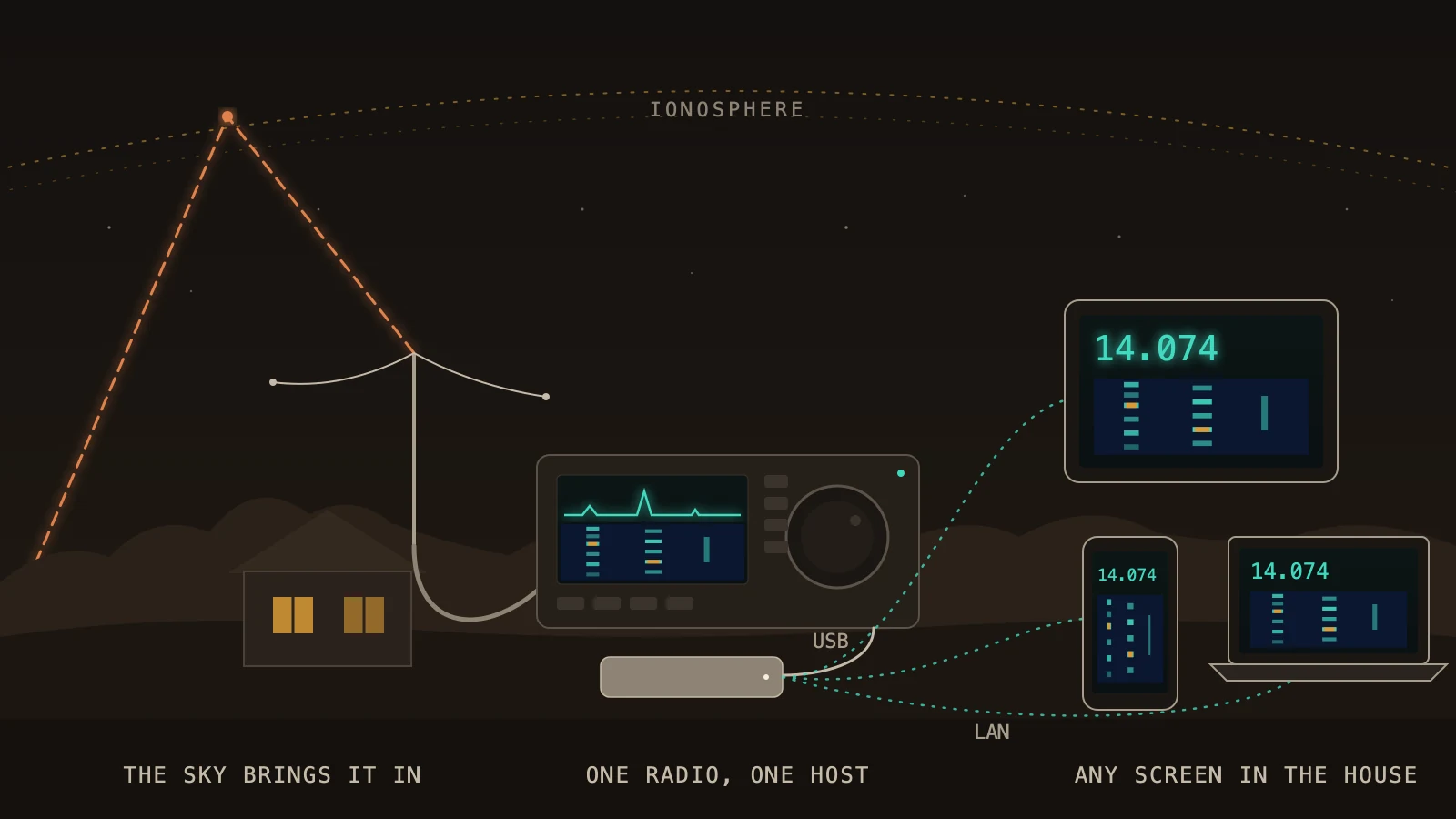
Ranch Radio puts a ham radio on a web page. Plug the radio into a Mac or a Linux machine, and any phone, tablet or laptop on the home network can tune it, watch the waterfall, listen, and talk through it. It went public on GitHub this week, free under the MIT license.
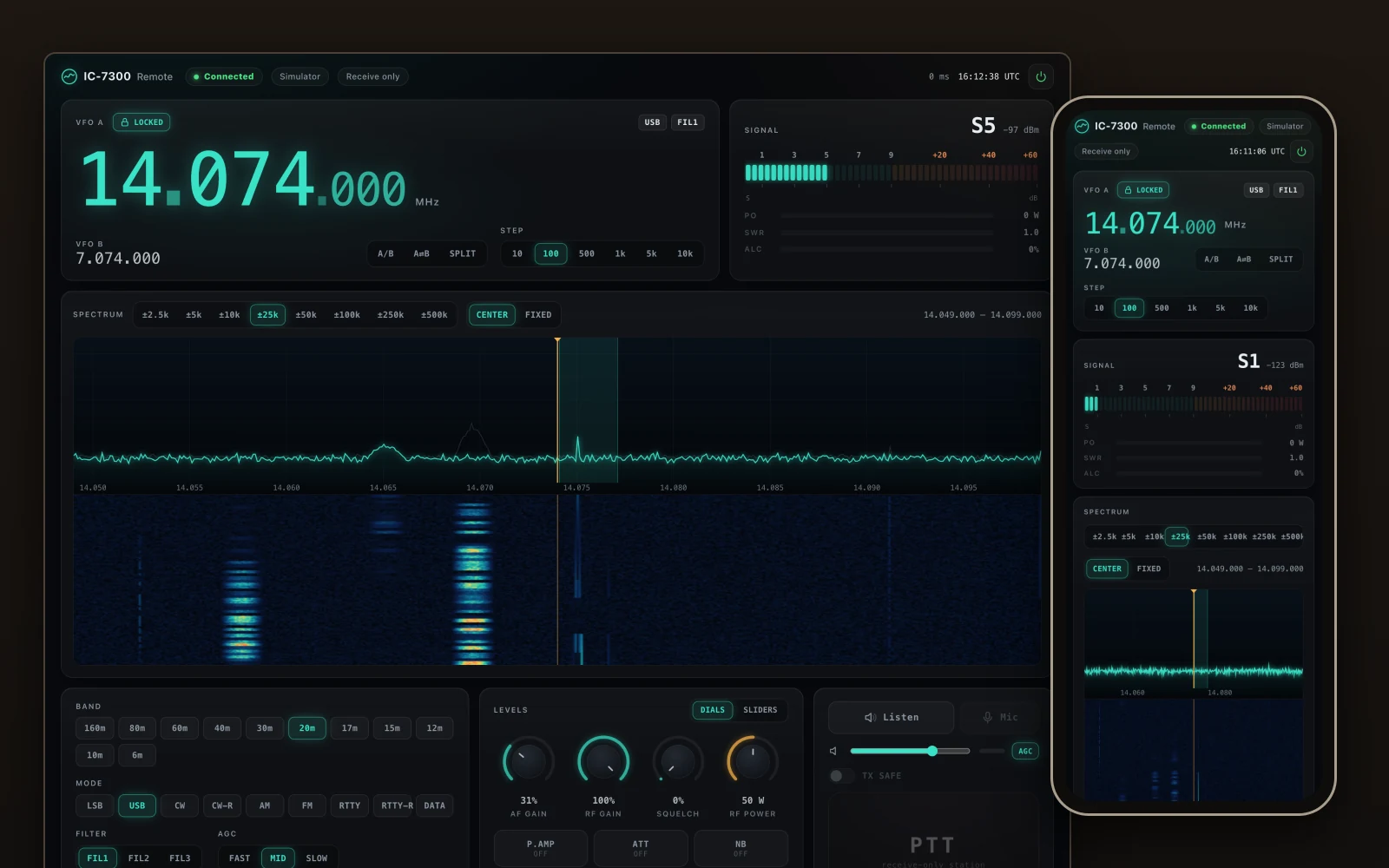
How it started. My IC-7300 sits in the shack on a USB cable to the Mac mini that runs most of the ranch's AI work. Since July an agent could read and set it from the command line, which was handy for me and no help to anyone else in the house. On October 12 I asked Claude for a browser control panel instead, and the first commit landed that day.
The other radios came in fast. The first commit already covered my Xiegu G90, which runs on a Digirig plugged into an Intel MacBook running Linux. On day two we logged the first QSO through the new server, with JTDX driving the G90, and almost lost it when I nudged the power slider in JTDX. A QRP Labs QMX joined on the 14th. By the 16th it also had Winlink (email over HF, no internet needed), a Meshtastic node, and a Bluetooth packet hub for my UV-PRO handheld. Each piece went in where I needed it, and the shipping was a mess: every machine had hand-made services, and the same radio details lived in five places.
So I asked to pull it all into one modular app called Ranch Radio. You start with the base for your HF radio and switch on modules for what you want on top. Each machine's whole radio setup is now one host file, and the installer writes the services from it.
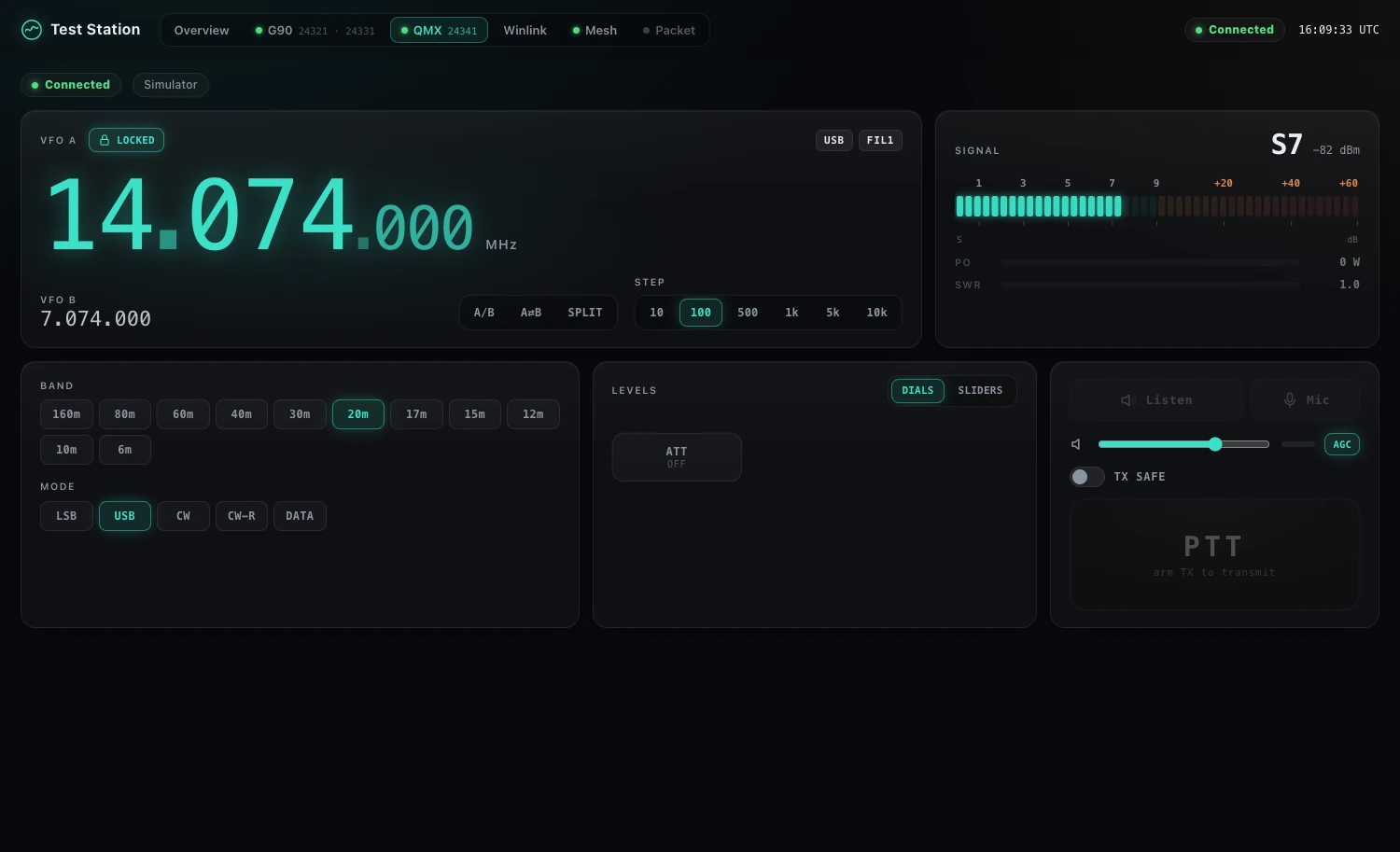
One page instead of a desk full of apps. Before this, each thing I did on the radios had its own program. JTDX talked to the rig through flrig. The UV-PRO had its own vendor app for configuration, the MD-UV390 meant its CPS or qdmr, and almost every other handheld uses CHIRP. Mesh messages lived in the Meshtastic phone app, and Winlink meant running Pat and its modem as separate services. Ranch Radio puts each of these on a tab, and you switch on only the modules you use.
Rig control. WSJT-X and JTDX now connect to Ranch Radio instead of flrig. Each radio answers Hamlib's rigctl on its own port, so the apps and the page share the rig, split included.
JTDX and JS8Call from another room. This was the big one for me. JTDX or JS8Call on my Linux laptop can now run a radio plugged into a different machine. Rig control goes over rigctl to Ranch Radio on that machine, and the radio's audio comes across the network as two sound devices on the laptop, one to receive and one to transmit. For the IC-7300 the audio rides Ranch Radio's own audio stream; for the G90 it goes through an SSH tunnel, so nothing new listens on the network. The G90's tunnel adds about a fifth of a second, which FT8 handles fine, and the radio still keys only under Ranch Radio's time limit.
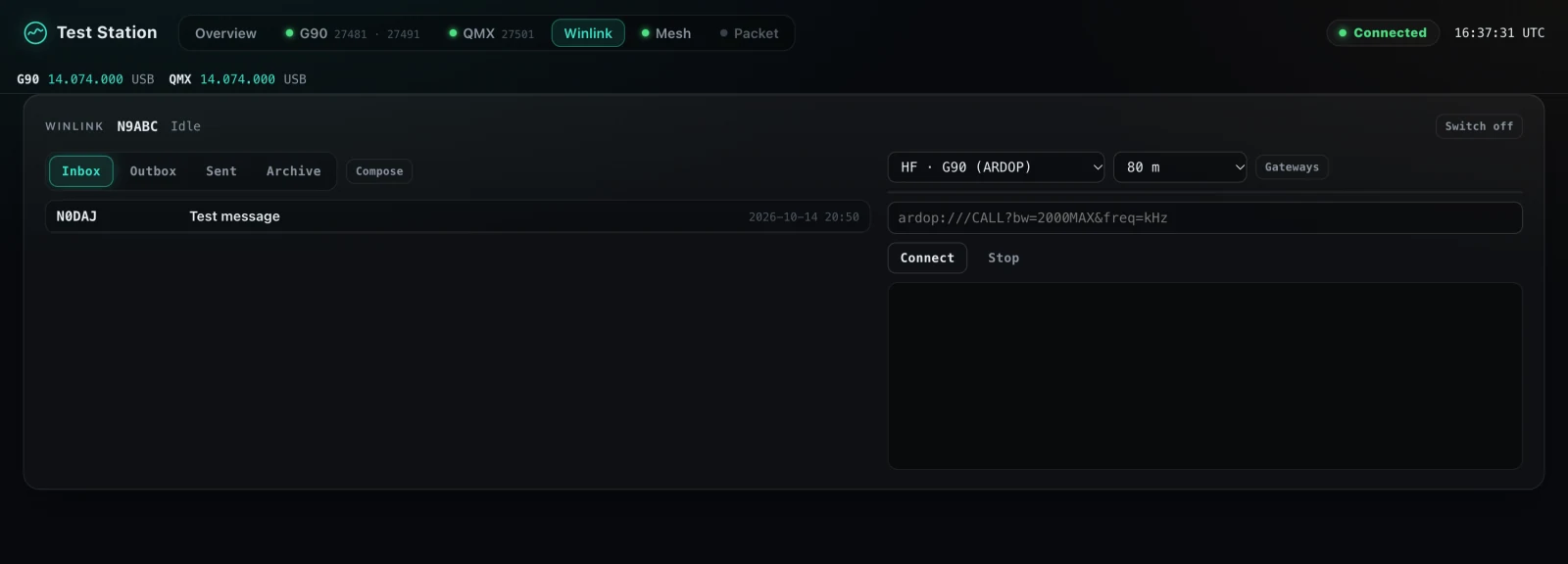
Winlink. Email over HF, with no internet in the path. The tab has the mailbox, a gateway list by band, and a Connect button. Pat and the ARDOP modem still do the work underneath. Ranch Radio runs them as part of the install and lets the modem key the radio only during a session I arm.
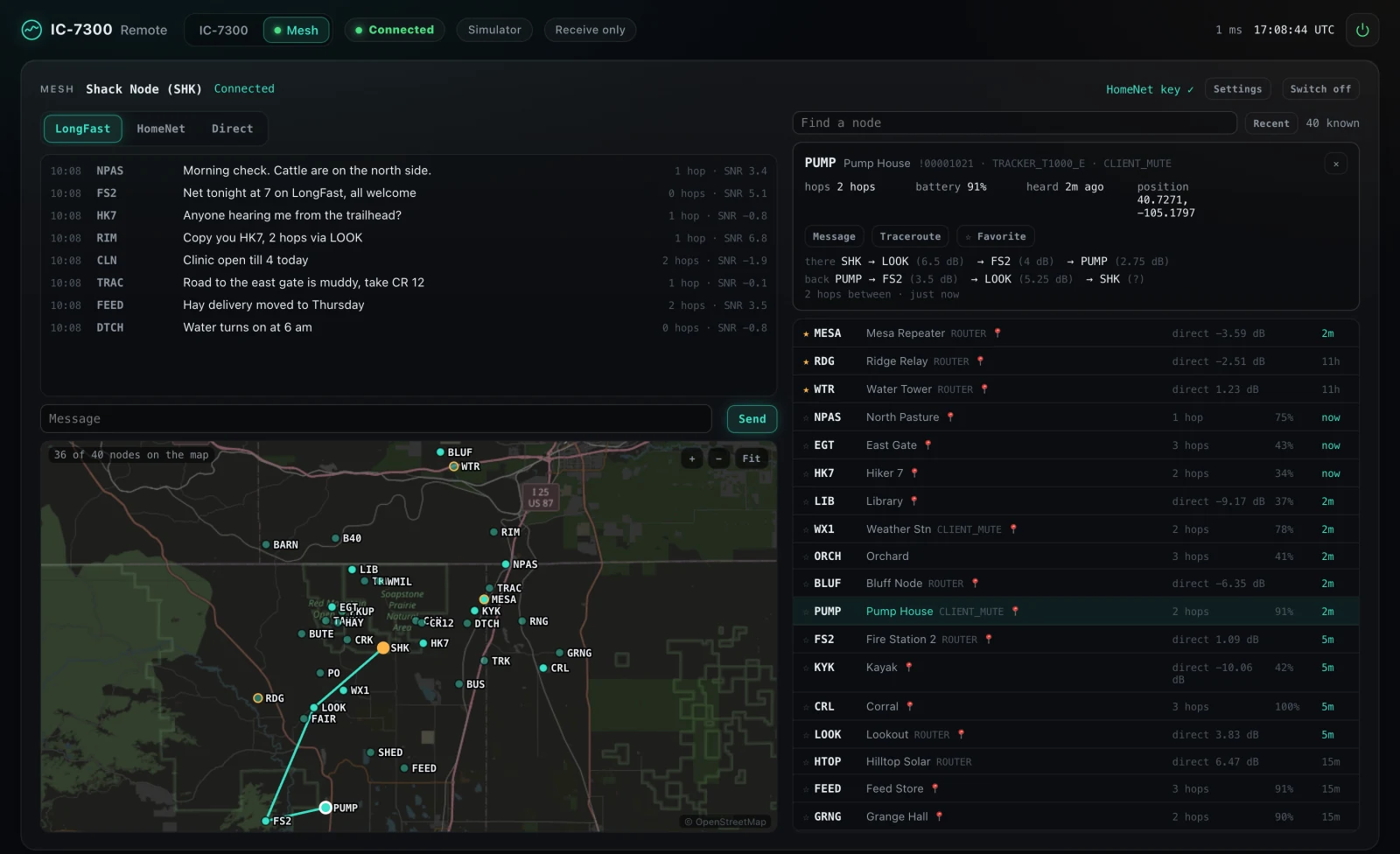
Mesh. The Meshtastic node shows up with its channels, direct messages, node list and a map. Traceroute and favorites work from the page, so I can see which relays reach a node.
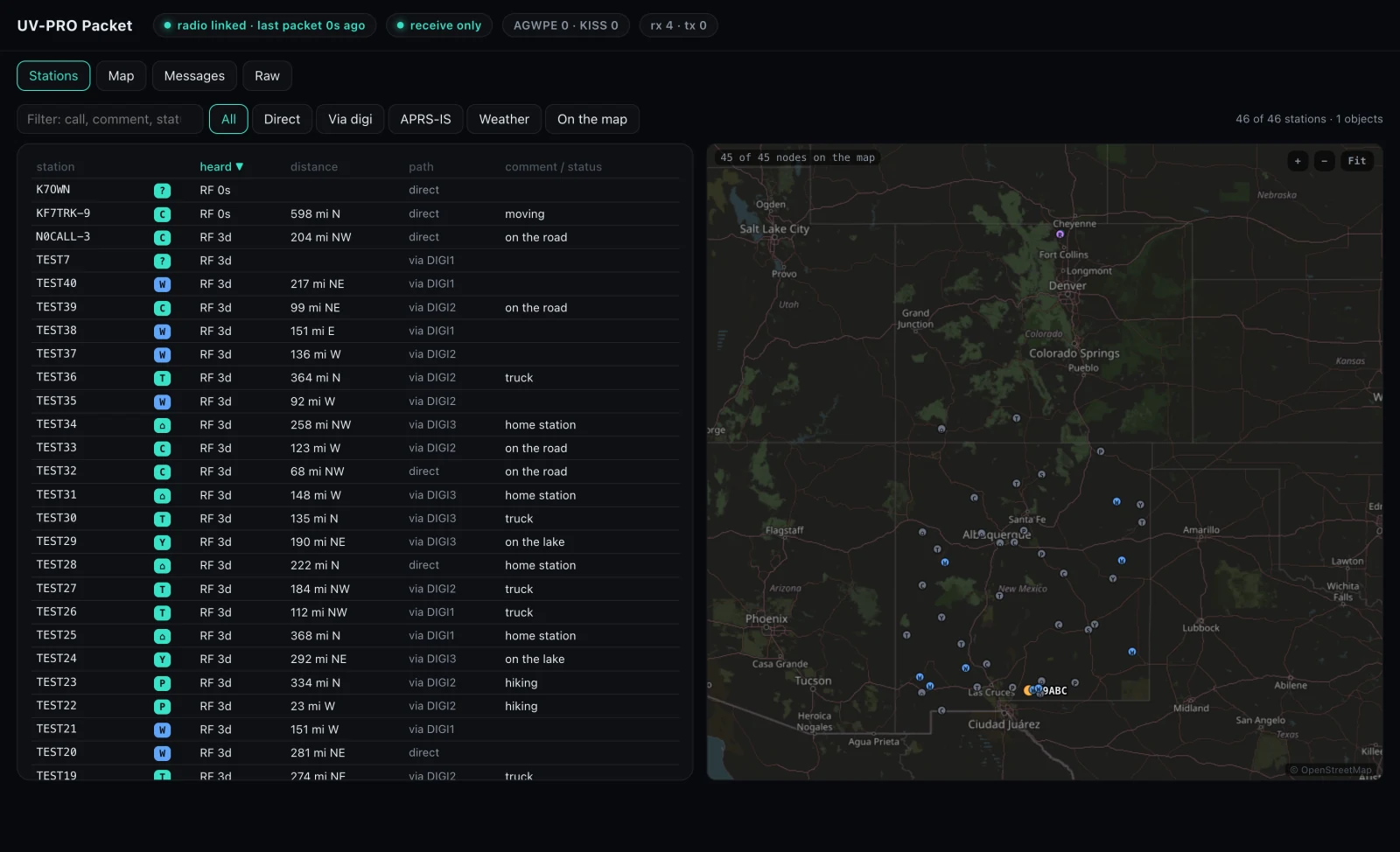
APRS. The UV-PRO doubles as an APRS packet TNC over Bluetooth. The page lists every station heard, with its path and distance, plots them on a map, and keeps the messages and raw packets.
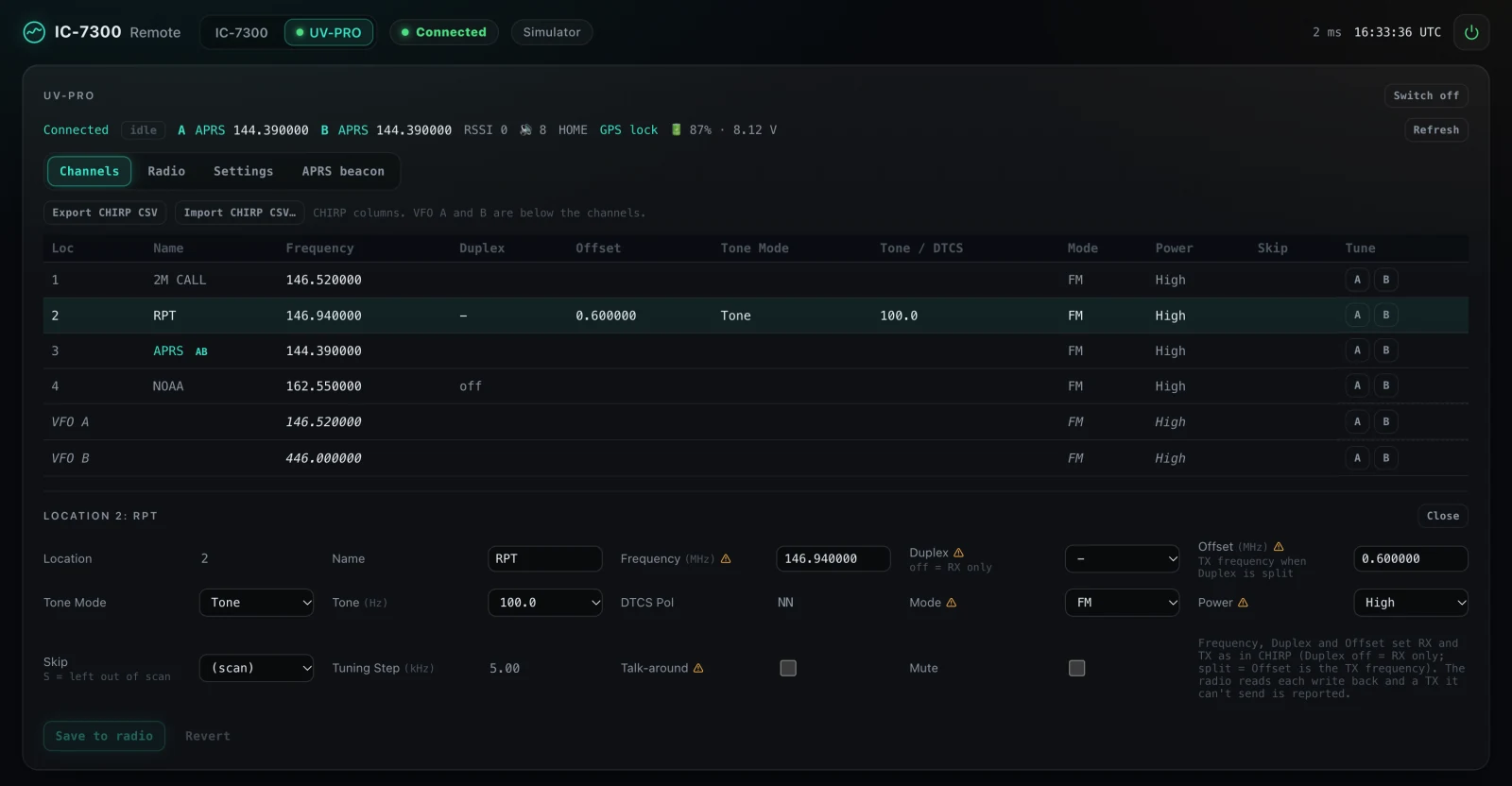
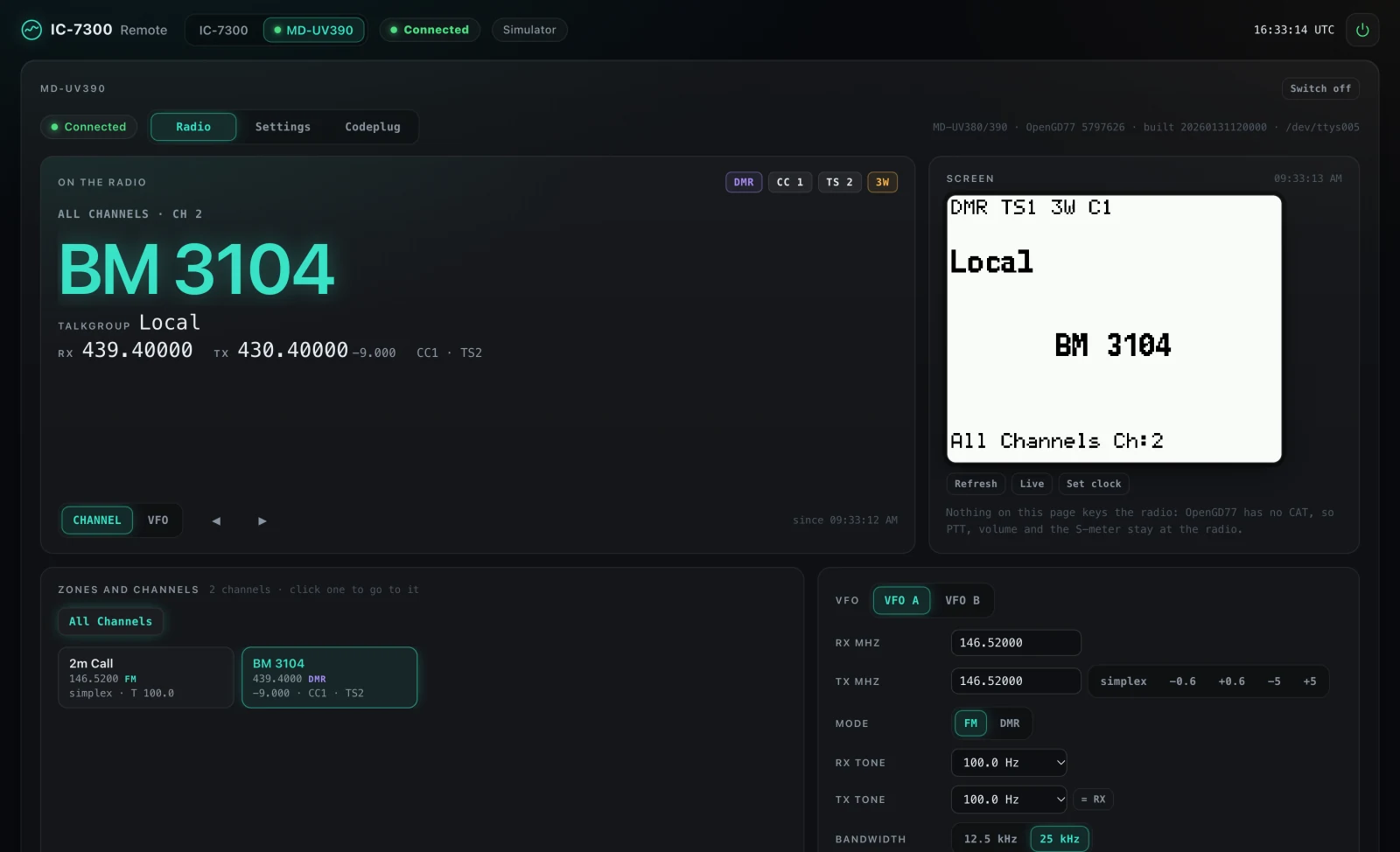
Programming the handhelds. The UV-PRO's channels read and write in CHIRP's columns, with CHIRP CSV import and export, so channel lists from my other handhelds carry over. The MD-UV390 on OpenGD77 gets its screen mirrored on the page, channel and VFO control, its settings, and a codeplug editor that reads from and writes to the radio. dmrconf from qdmr does the transfer underneath.
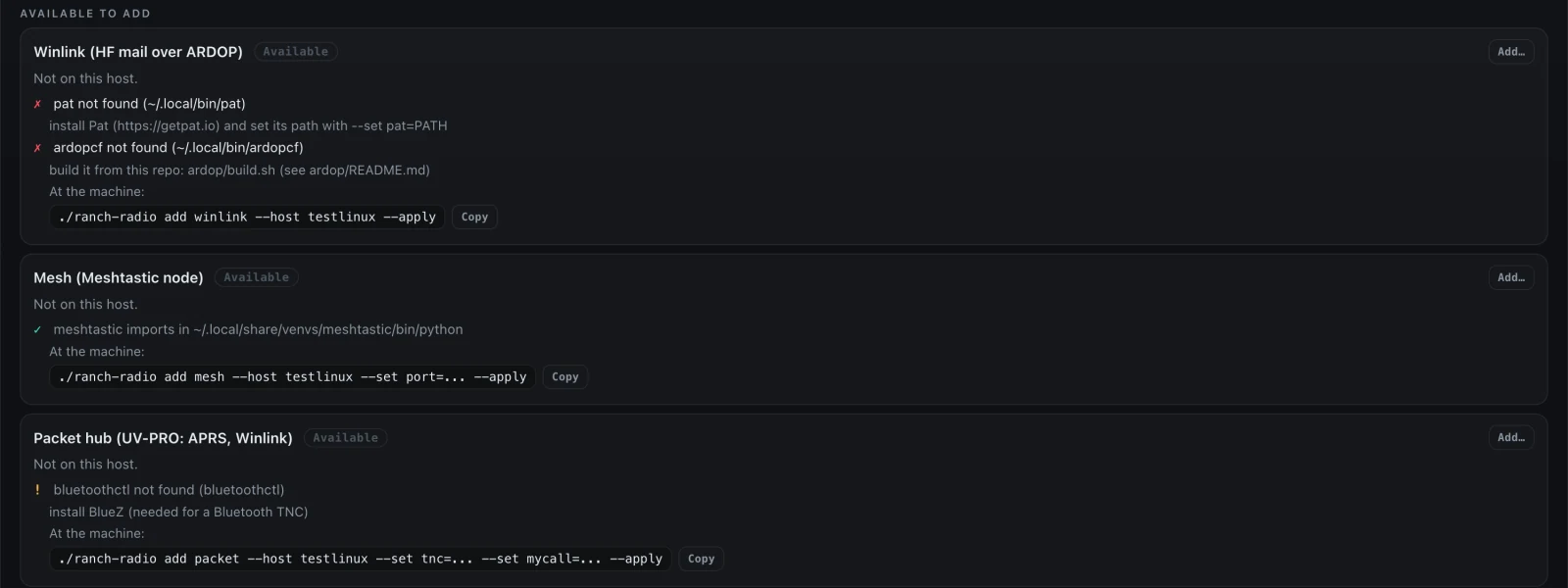
Modules. The Modules tab shows what each machine has switched on, what's missing for the rest, and the command that adds it.
Other models checked the work. Two bug bashes went after the code that keys the transmitter. Four code reviews covered new features as they landed, and model panels read the plans for APRS and for the module system before any of it was built. That came to nine rounds and eighteen reports in ten days. Claude fixed what held up, test-first.
Audio levels took some hands-on work. Winlink on the G90 put out 0 watts in plain USB, because the Digirig's audio only reaches the transmitter in the data modes. Once we fixed that, the modem at 0 dB drove the 20-watt G90 to about 27 watts. I tuned the levels on the air, band by band, and the page now has a TX level row to set and save them. The first Winlink sessions from that Linux station went out on 40 meters on October 17.
What you get. It stays receive-only until you give it your callsign. Every transmission has a time limit (60 seconds by default), and the radio unkeys if your browser goes quiet. It's built for the LAN: a web page from the internet can't reach it, even from a browser on your own network. I've run the IC-7300, G90 and QMX on the real radios. Support for the IC-705, IC-7610, IC-9700, IC-7100 and X6100 comes from the CI-V reference, and those still need someone with the radio to try them.
Going public. Ten days and about two hundred commits in, I published it. Every push gets a privacy check before it leaves, and outside pull requests merge once I approve them.
The biggest change for me is that I don't have to be in the shack to use the radio. I can check a band from the tablet or my phone anywhere in the house, while JTDX on the laptop shares the same rig.
If you have an interest in amateur radio, this is a great place to start. Ranch Radio stays receive-only until you give it a callsign, so you can plug in a radio, watch the waterfall and listen to the bands before you have a license.
The code is at github.com/cvp1/ranch-radio. If you have one of the untested radios, I would like to hear how it goes. I'm N0CVP, and my contacts are on the QSO map. Please, let me know what breaks.